
🔗
Better Links, Buttons and More
Improved Link Validation
With this update, CTB now ensures that the links you input are valid and adhere to specific patterns:
Google Groups Links:
Must follow this format:https://groups.google.com/g/{GROUP_NAME_HERE}
Find this link in your browser’s URL bar when viewing your group.For more information on how to get your Google Group link, check this guide
Web Test Links:
Must follow this format:https://play.google.com/apps/testing/{APP_NAME_HERE}
Locate this link in your Google Play Console.In this link, your app name should be the Package name and looks something along those lines : com.company.appname.
For more information on how to get your Web Test link, check this guide
Brand-New Buttons for a Better Experience
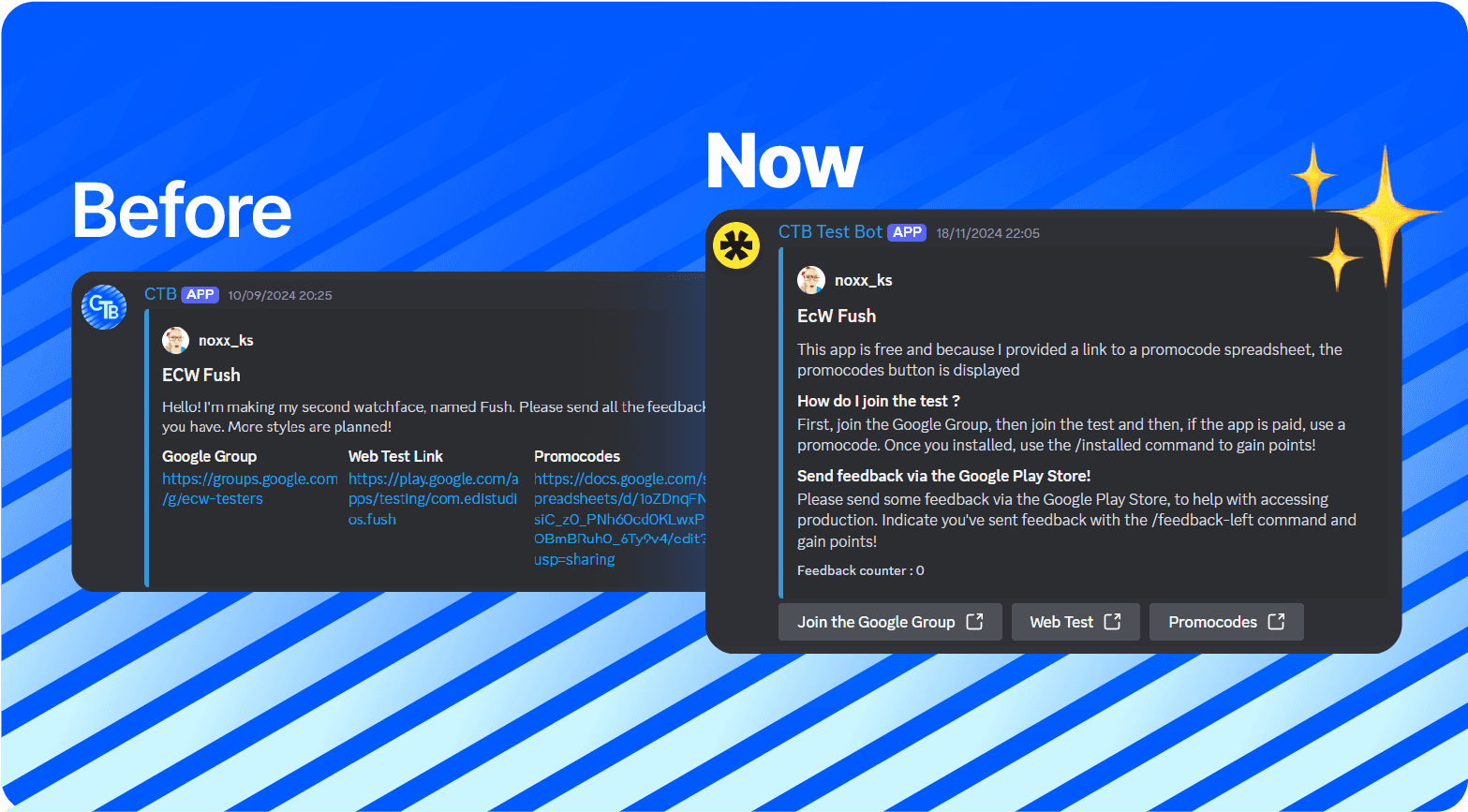
Say goodbye to plain links! Joining a test is now more intuitive and visually appealing with the introduction of buttons in your app's embed.
Bonus Tip: If your app is free and doesn’t require promocodes, simply leave the promocodes field empty—no button will be created!
Improved Error Handling in DMs
Previously, running a command in DMs caused the bot to crash and send an unclear error message. Now, the bot will display a clearer, more descriptive error explaining that commands can only be used in the server, not in DMs.
Enhanced security
This update also includes backend changes to improve the bot's overall security.
PS : A feedback counter has appeared on these embeds but this isn't working as of 20/12/2024. This is part of the Grades feature and will be coming soon