
🚀
Publishing your first app
CTB allows you to share your app on Discord so other people can join the test and provide feedback.
To publish your first app using CTB, go into any channel where you can send a message and send the /new-app command. This will show the following form :
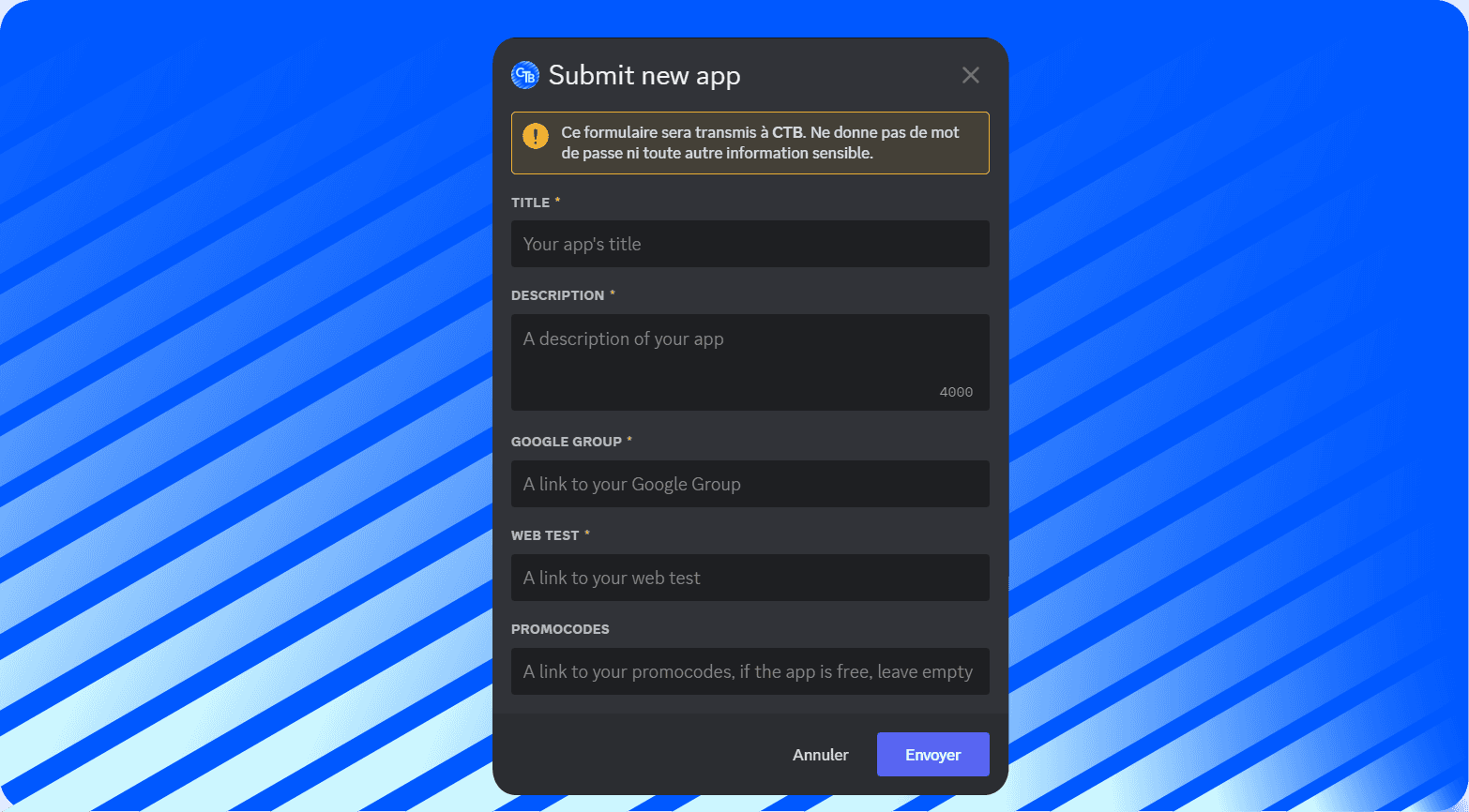
Here is a full rundown of all the fields available :
Title
This field is meant for your app's title.
The text inputted will be used in your new channel's name and will be the name of the embed sent into that channel.
Description
This field is meant for you to describe your app, it will be displayed under the name of your app in the embed.
Google Group
This field is meant for your Google Group's link. This field only accepts links in the following format : https://groups.google.com/g/{YOUR_GROUP_NAME}
Click here for a guide on how to get your Google Group's link
Web Test
This field is meant for your Web Test Link. This link is found on your Google Play Console. This field only accepts links in the following format : https://play.google.com/apps/testing/{YOUR_APP_NAME}
Click here for a guide on how to get that link
Promocodes
If your app is paid, we recommend to create a spreadsheet with promocodes for testers. This field is here for a link to said spreadsheet.
If your app is free, please leave this field empty.
Once you fill out all these fields and press submit, CTB will create a channel in the testers needed category. That channel will be, by default, named following this pattern : {your-username}-{app's-name}.
Once that channel is created and embed containing all the necessary info to join the test.